Digital or Dial Toaster Oven: Which Is Easier to Use?
Digital toaster ovens are easier if you want visible settings and presets; dial ovens are simpler if you prefer turning a few physical controls. Choose based on the tasks you repeat and how much adjustment you want.
On this page (6 sections)
Digital toaster ovens are easier if you want visible settings and presets; dial ovens are simpler if you prefer turning a few physical controls. Choose based on the tasks you repeat and how much adjustment you want.
A display can make a selected function and its settings easier to check at a glance. Dials can make basic choices feel direct, especially when you mainly toast, bake or broil.
The controls matter, but so do size, cooking modes and cleanup. For more on the available modes, see our guide to toaster oven settings.
Is a digital toaster oven easier to use?
A digital toaster oven can be easier when you want clear settings and named cooking functions. A display helps you confirm what you've selected, while presets can reduce the number of choices you make for common foods.
Digital controls suit people who like to set a function and adjust the time or temperature with a visible reference. They may also help in a shared kitchen, where another person can check the selected settings before cooking.
The word “digital” doesn't guarantee that every control is simple. Some ovens still require several steps, and a feature-rich panel can take longer to learn than a pair of familiar knobs.
Think about your most common jobs. If you want to toast bread and heat leftovers, a short list of easy-to-find settings may matter more than a long menu of programs.
Are dial toaster ovens simpler?
Dial ovens can be simpler when you want to select a mode or adjust a setting by turning a knob. Their controls are easy to understand when they use clear labels and the oven's functions match your routine.
A dial also gives you a physical control to turn, which some people find more direct than buttons or menus. A few dials can cover function, temperature and time without requiring you to learn a screen.
Dial controls vary by model, so simplicity isn't automatic. Check whether the markings are easy for you to read and whether the controls give you the choices you need.
Toaster ovens may mix control types. A model can have a display alongside turn knobs, so judge the actual panel rather than relying on a “digital” or “dial” label.
Which controls suit your cooking routine?
Choose the controls that make your repeated tasks easy to set and check. The right fit depends on whether you value visible settings, direct adjustments or a mix of both.
| Your routine | Control style to consider | What to check |
|---|---|---|
| You use several named cooking modes | Digital or mixed controls | Can you identify the mode quickly? |
| You mostly toast and reheat | Simple dials or a basic display | Are time and function easy to set? |
| You often adjust time or temperature | Controls with clear adjustments | Can you change settings without starting over? |
| You share cooking with others | A display or clearly marked controls | Can someone else check the selected setting? |
| You want air-frying modes too | A multi-function oven | Are the extra modes easy to select? |
If you want to learn how settings work before comparing models, our beginner's guide to cooking in a toaster oven covers basic use.
What does a display help you check?
A display can make settings visible while you choose a cooking mode or adjust a time. That can help if you prefer to confirm your choice before you start.
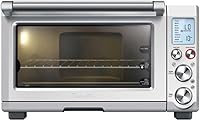
For example, the Breville BOV650XL has an LCD display and 8 cooking functions, including toast, bagel, bake, broil, pizza, roast, cookies and reheat. Its controls combine push buttons and turn knobs, so it isn't a screen-only design.
When are dials enough?
Dials may be enough when you want straightforward settings and don't need a screen to guide you. Look for labels that are easy to read and controls that cover the cooking modes you use.
The Hamilton Beach Easy Reach has simple controls and a 30-minute timer with a Stay On function. Its convection, bake, broil and toast modes cover several everyday jobs.
Four toaster ovens with different controls
The Ninja Digital Air Fry Countertop Oven SP101 is the highest-scoring pick here, followed by the Breville, Cuisinart and Hamilton Beach. Their features show how displays, dials and mixed controls can work in practice.
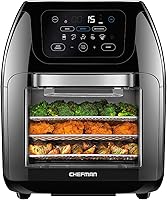
The Ninja Digital Air Fry Countertop Oven SP101 includes air fry, air roast, air broil, bake, bagel, toast, dehydrate and keep warm functions. Its digital crisp control technology coordinates temperature, heat source and airflow.
The oven fits a 13 in pizza or up to 9 slices of toast, and it flips up for storage against a kitchen backsplash. A removable crumb tray and accessible back panel support cleanup.
Consider it if you want digital cooking features and air-frying modes. Its outside dimensions are 19.72 in deep, 14.96 in wide and 7.56 in high, so check counter clearance before choosing it.
The Breville BOV650XL Compact Smart Oven has an LCD display and 8 functions: toast, bagel, bake, broil, pizza, roast, cookies and reheat. Its Element IQ system uses 5 independent quartz elements to direct power and adjusts power and cooking time for its preset functions.
The interior fits 4 slices of toast or a 12 in pizza. It also has a nonstick cavity coating for easier cleaning.
Consider it if you want a display alongside turn knobs. Its outside dimensions are 15.5 in deep, 17 in wide and 10.25 in high.
The Cuisinart 0.5 cu ft Toaster Oven Broiler has cooking functions for toast, bagel, bake, broil, pizza and keep warm. Its Always Even Shade Control monitors toasting temperature and adjusts cooking time for consistent toast results.
It can toast 6 slices of bread or bake an 11 in pizza. A cool-touch handle, auto-slide rack and front removable crumb tray add useful details for regular use.
Consider it if you prefer dials and want several cooking modes. Its outside dimensions are 12 in deep, 16 in wide and 9 in high, and its interior capacity is 0.5 cu ft.
The Hamilton Beach Easy Reach 6-Slice Convection Toaster Oven uses knob controls and has convection, bake, broil and toast functions. It includes a bake pan, oven rack and slide-out crumb tray, and its roll-top door stays out of the way when open.
Its 2 rack positions and temperature range of 150 to 450°F give you options for different foods. The timer includes a Stay On function, a ready bell and auto shutoff.
Consider it if you want a dial-controlled oven with familiar cooking modes. Its outside dimensions are 16.68 in deep, 20 in wide and 10.5 in high, with room for a 12 in pizza or 6 slices of toast.
What else should you compare besides the controls?
Compare capacity, cooking functions and cleanup alongside the controls. A control panel can't make up for an oven that doesn't fit your counter or the food you plan to cook.
Measure your counter space, including room for the door to open and access around the oven. Leave space around the oven as directed by the manufacturer.
Then compare interior fit with the dishes and foods you make. Pizza size, toast capacity and rack positions can help you judge whether an oven suits your routine.
Included accessories can also affect daily use. A removable crumb tray, bake pan or oven rack may be useful depending on what you cook and how you clean up.
If you're deciding between a toaster oven and an air fryer style model, our guide to toaster oven air fryer combos explains what to compare. For a closer look at compact options, see compact air fryer toaster ovens.
Which toaster oven controls are easiest to use?
Pick digital controls if visible settings and presets help you cook with confidence; pick dials if you want direct, familiar adjustments. If you want both, look at mixed panels such as the Breville's LCD display and turn knobs.
The Ninja SP101 suits buyers who want digital control and several air-frying modes. The Hamilton Beach or Cuisinart may suit buyers who prefer dial controls for everyday oven tasks.
Before choosing, compare the specific panel, capacity and functions. Our budget air fryer toaster ovens guide can help if you also want to compare affordable multi-function options.
Frequently asked questions
Is a digital toaster oven easier to use than a dial model?
A digital toaster oven can be easier when you want settings and time shown on a display, especially if it offers named cooking functions. A dial model can feel simpler when you prefer turning a control without stepping through menus.
Check the controls for the tasks you use most.
Are dial toaster ovens less accurate?
A dial control by itself doesn't tell you how accurately an oven holds temperature. Look for the functions and adjustments you need, then follow recipe guidance and check food for doneness.
Some ovens with dials also include features such as a toast shade control.
What should I check before buying a digital toaster oven?
Check that its display makes the function, temperature and time easy for you to read, and confirm it has the cooking modes you use. Also compare its outside size, interior fit, included accessories and cleanup features.
A digital panel won't help if the oven is too large for your counter.
Can a toaster oven have both digital and dial controls?
Yes. A control panel can combine a display with a dial or buttons, so the words digital and dial don't always describe completely separate designs.
Check how you select functions, set temperature and time, and choose toast shade before deciding which feels easier.